
How to Reduce Cell Phone Exposure
Turn Off Wi-Fi and Bluetooth
Turn off Wi-Fi and Bluetooth® when you are not using them to reduce unnecessary radiofrequency (RF) exposure.
Use Airplane Mode Whenever Possible
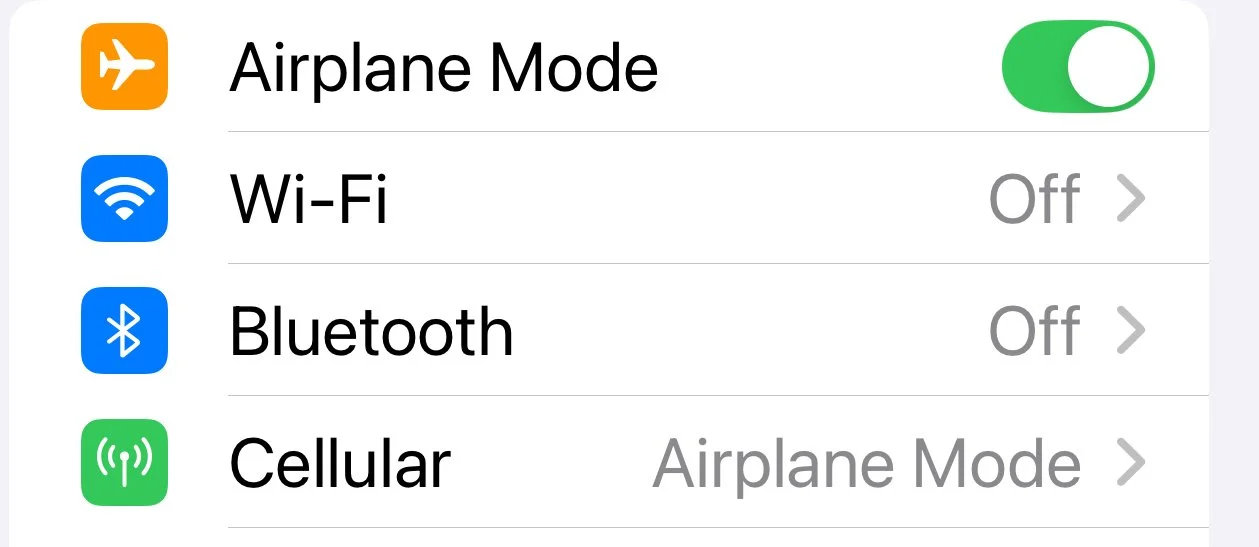
Keep your phone in airplane mode when you do not need calls, texts, or data. Airplane mode turns off cellular transmissions; on many phones, Wi-Fi and Bluetooth can be turned back on separately, so confirm they are also off if your goal is to reduce RF exposure.
Keep your phone in airplane mode as much as possible. You can draft texts in Notes and record videos while airplane mode is on, then briefly turn it off from time to time to send messages or upload videos.
Avoid Direct Body Contact
Avoid carrying your phone directly against your body, such as in a pocket, bra, or belt holster. Carry it in a bag, backpack, or purse instead. During calls, use speakerphone or a wired headset and keep the phone away from your head.
Consider Using a Faraday Bag
A Faraday bag is lined with signal-blocking material that prevents wireless signals from entering or leaving the bag. It can isolate a phone from cellular networks, Wi-Fi, Bluetooth, and GPS without requiring the device to be powered down.
Do Not Sleep Next to Your Phone
Place your phone across the room while you sleep. If you use your phone as an alarm, airplane mode can remain on while the alarm still works.
Do Not Charge Your Phone Next to Your Bed
Avoid charging your phone on a nightstand or close to your bed. Charge it at the opposite end of the room or in another room whenever possible.
Adjust Cellular Settings to Limit RF Exposure
Open your smartphone settings and select Cellular.
1. Turn Data Roaming off. When roaming is on, smartphones may search for stronger or partner-network signals, which can increase power use and RF emissions.
2. Set Voice & Data to LTE if you want to avoid 5G connections. This may reduce exposure to some higher-frequency 5G signals where they are available.
3. Set Data Mode to Low Data Mode. This can reduce background data activity, which may reduce how often the phone transmits data.
Note: You may need to temporarily change these settings when you need service in a weak-signal area.